# Customization in Tailwind CSS: Adding Arbitrary Values
> A Note on the Series:
> Fast Fridays 🏎 is a series where you will find fast, short, and sweet tips/hacks that you may or may not be aware of. I will try to provide these (fairly) regularly on Fridays.
Tailwind CSS is a utility-first CSS framework that makes styling your app a breeze. Tailwind is jam-packed with a myriad of classes that fit **_almost_** every use-case. For those scenarios where there isn't a pre-existing class that suits your need, Tailwind provides a way to easily customize your CSS using **arbitrary values**.
# Customization in Tailwind
I want to preface by saying that there are **_multiple_** ways to customize CSS in Tailwind. A non-exhaustive list of ways you can customize include:
1. [Customizing your theme](https://tailwindcss.com/docs/adding-custom-styles#customizing-your-theme) - by editing the `theme` section of your `tailwind.config.js`.
2. [Using the `@layer` directive](https://tailwindcss.com/docs/adding-custom-styles#using-css-and-layer) - which adds additional styles to Tailwind's `utilities`, `components`, and `base` layers.
3. [Using arbitrary values](https://tailwindcss.com/docs/adding-custom-styles#using-arbitrary-values)
To keep things nice and succinct for this Fast Friday Tip 🏎, this article will discuss option #3. However, know that there are various customization options to choose from.
# Arbitrary Values
As of v3.0 of Tailwind, arbitrary values are now included by default. Versions prior to v3.0 will require the [Just-In-Time engine](https://tailwindcss.com/blog/just-in-time-the-next-generation-of-tailwind-css) in order to support this feature. Arbitrary values are great to use if you want to apply one-off styles without having to create a custom class in the stylesheet.
Adding an arbitrary value requires the square bracket `[]` notation. For example, let's say we wanted to create a card element that contains a custom `background-color`, `font-size`, and `min-height`.
```html
Card Header
Lorem ipsum dolor sit amet, consectetur adipisicing elit.
```
Click here to see the rendered card element
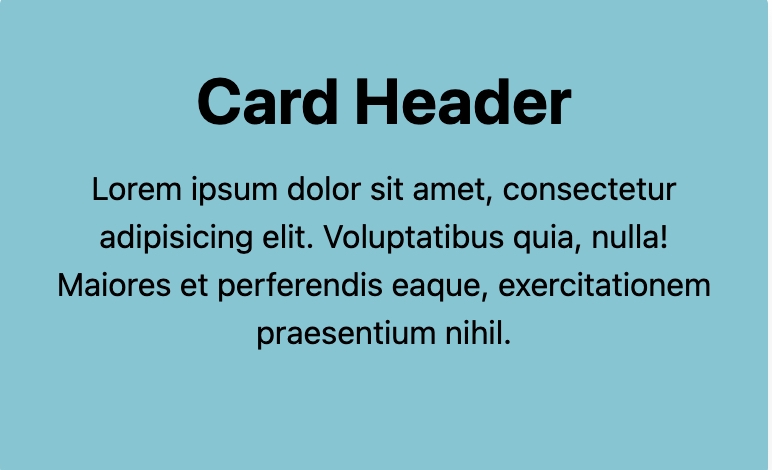
1. `bg-[#74c7d5]` sets the custom `background-color`
2. `min-h-[240px]` sets the custom `min-height`
3. `text-[2rem]` sets the custom `font-size`
The neat part is that arbitrary values can be applied across many different utilities from interactive modifiers like hover states to super custom [arbitrary properties](https://tailwindcss.com/docs/adding-custom-styles#arbitrary-properties) that Tailwind doesn't include out of the box. The possibilities are endless!
# El Fin 👋🏽
If you enjoy what you read, feel free to like this article or subscribe to my newsletter, where I write about programming and productivity tips.
As always, thank you for reading, and happy coding!