# Motion Tracking & Music in < 100 lines of JavaScript

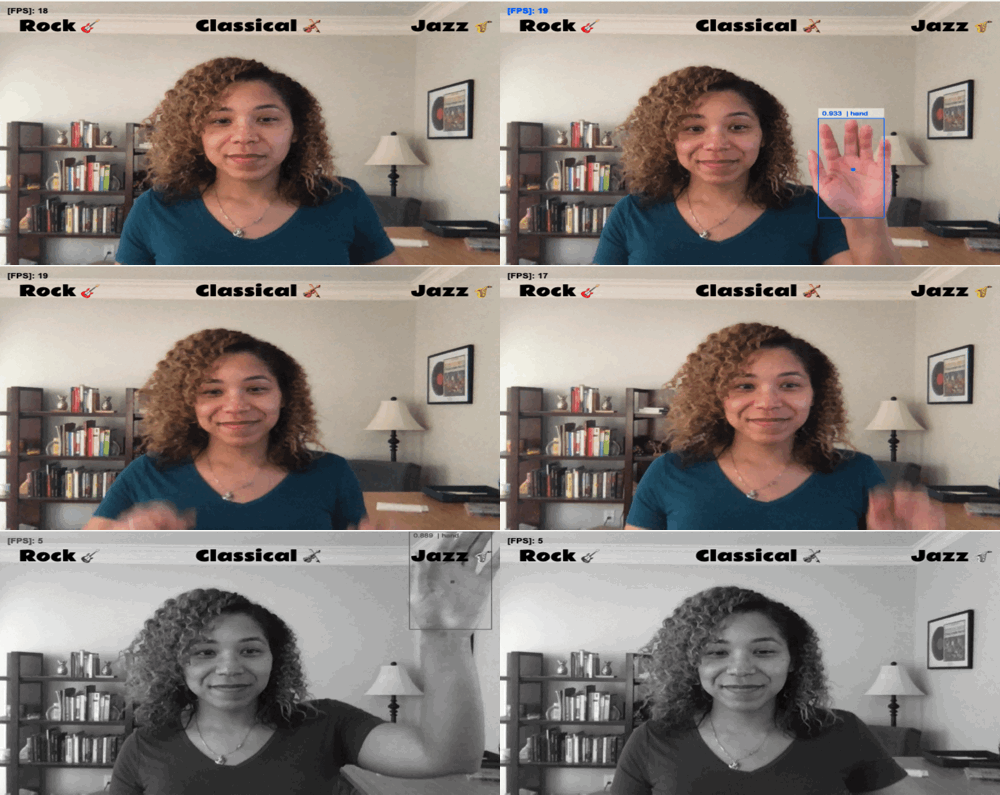
Here's a sneak peek of the final product:

![BADA033E-C307-4D90-A008-3B886ABB2258.gif](https://cdn.hashnode.com/res/hashnode/image/upload/v1604760263357/8mSkYW-Rh.gif)

# The Challenge
> Create an application that tracks a user's face/body and makes some sort of sound (music) in response. Or put another way, track some sort of motion on the screen using a webcam, and translating that into some sort of audio.

<iframe width="560" height="315" src="https://www.youtube.com/embed/FeT7na8yZpk?start=25" frameborder="0" allow="accelerometer; autoplay; clipboard-write; encrypted-media; gyroscope; picture-in-picture" allowfullscreen></iframe>

This was a  [coding challenge](https://youtu.be/FeT7na8yZpk?t=25) presented by Colt Steele, one of my favorite online instructors. I figured this would be a unique project to try and complete so I decided to give it a whirl. In this article I'll describe how I accomplished the task and the things I learned along the way.

> Check out the [Github repo](https://github.com/Cool-Runningz/motion-music) and play around with the final product [here](https://motion-music.vercel.app/).

# handtrack.js Library
All of the magic for this project is provided by the  [handtrack.js](https://github.com/victordibia/handtrack.js) library.

According to their  [docs](https://github.com/victordibia/handtrack.js/#handtrackjs), **handtrack.js** is:
> A library for prototyping real-time handtracking in the browser. Handtrack.js lets you track hand position in an image or video element, right in the browser.

It makes use of [Tensorflow](https://www.tensorflow.org/), a machine learning platform, for hand detection. There are a lot of other technologies used to make this library possible so, if you're interested in how **handtrack.js** was built, you can read this [article](https://medium.com/@victor.dibia/how-to-build-a-real-time-hand-detector-using-neural-networks-ssd-on-tensorflow-d6bac0e4b2ce) to learn more.

# The HTML
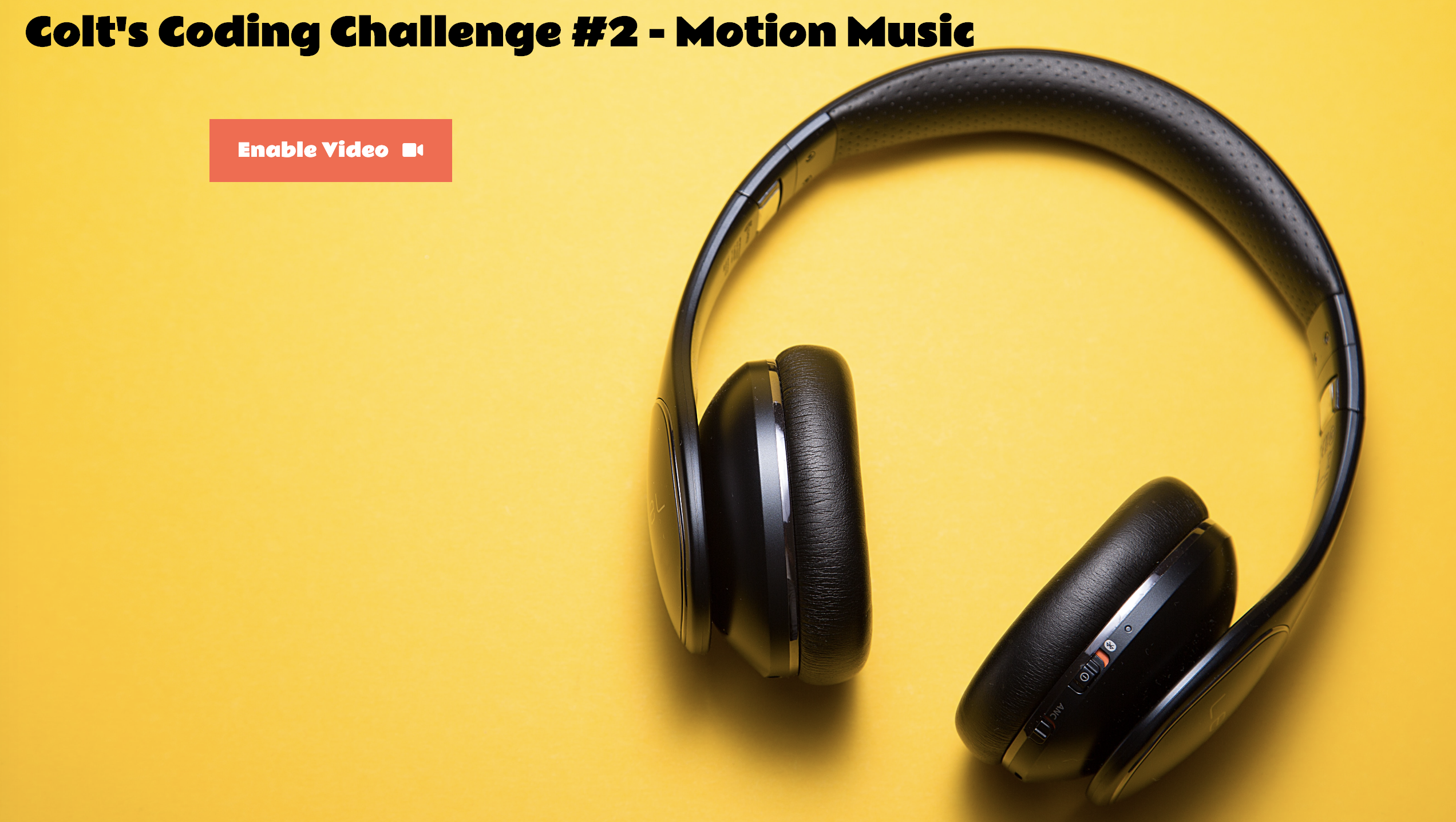
The HTML for this project is pretty simple and includes only two files. The   [index.html](https://github.com/Cool-Runningz/motion-music/blob/master/index.html) is a landing page with a big red button prompting you to enable your video camera before entering the main page. I wanted to add this as a courtesy to the user so that they have a heads up that the next page will ask for permission to use their camera.
![Screen Shot 2020-10-31 at 1.00.06 PM.png](https://cdn.hashnode.com/res/hashnode/image/upload/v1604261585088/cg4IA9H52.png)

The  [second file](https://github.com/Cool-Runningz/motion-music/blob/master/pages/motion-music.html) uses a  [CDN](https://www.cloudflare.com/learning/cdn/what-is-a-cdn/)  to load in the handtrack.js ***model***. In this file, there are three elements that will play a key role in tying everything together:

1. `<video>` - This element will have the webcam streamed through it in real-time.
2. `<audio>` - This element is used to play the snippets of music.
3. `<canvas>` -  This element is used to draw the music genre labels to the screen. It’s also used to display the blue borders around the hand.

# The CSS
I have quite a few classes defined within the  [CSS file](https://github.com/Cool-Runningz/motion-music/blob/master/css/styles.css), but the main ones to point out are the styles that are being applied to the `video` and `canvas` elements. 

There's a `display: none` being applied to the `video` element because the library needs access to the `video` element to ***register*** the hand movement, however, it uses the `canvas` element to ***render*** (display) the hand tracking predictions onto the screen. 

To add a little extra flair ✨ (and thanks to a great suggestion from my husband), I have a `grayscale`, `sepia`, and `rocknroll` class which apply their respective [CSS filters ](https://developer.mozilla.org/en-US/docs/Web/CSS/filter)based on the genre of music the hand hovers over.

# The JavaScript - First Half
The first half of the code deals with the initial setup that ensures everything will run smoothly later on in the file. This portion of the file can be broken down into four main parts:
1. Defining the `modelParams`. This object is used to configure things like how many hands we want to track and the minimum confidence threshold desired before rendering it as a hand.
2. Using the `handtrack` API to load the model and start the video.
3. Assigning the pertinent HTML elements to variables so that they can be referenced throughout the file to render predictions to the canvas,  load the video, and play music.
4. Defining a `genres` object that contains two attributes:
   - `filter`: the name of the CSS class that will apply the relevant [CSS filter](https://developer.mozilla.org/en-US/docs/Web/CSS/filter) property.
   - `source`: the URL of the audio we want to be played.

```
const modelParams = {
  flipHorizontal: true, // flip e.g for video
  imageScaleFactor: 0.7, // reduce input image size for gains in speed.
  maxNumBoxes: 1, // maximum number of boxes to detect
  iouThreshold: 0.5, // ioU threshold for non-max suppression
  scoreThreshold: 0.8, // confidence threshold for predictions.
};

const genres = {
  classical: {
    filter: "sepia",
    source: "https://ccrma.stanford.edu/~jos/mp3/oboe-bassoon.mp3",
  },
  jazz: {
    filter: "grayscale",
    source: "https://ccrma.stanford.edu/~jos/mp3/JazzTrio.mp3",
  },
  rock: {
    filter: "rocknroll",
    source: "https://ccrma.stanford.edu/~jos/mp3/gtr-dist-jimi.mp3",
  },
};

const video = document.getElementsByTagName("video")[0];
const audio = document.getElementsByTagName("audio")[0];
const canvas = document.getElementsByTagName("canvas")[0];
const context = canvas.getContext("2d");
let model;

function loadModel() {
  handTrack.load().then((_model) => {
    // Initial interface after model load.
    // Store model in global model variable
    model = _model;
    model.setModelParameters(modelParams);
    runDetection();
    document.getElementById("loading").remove();
  });
}

// Returns a promise
handTrack.startVideo(video).then(function (status) {
  if (status) {
    loadModel()
  } else {
    console.log("Please enable video");
  }
});
```

# The JavaScript - Second Half
The second half of the code deals more with the actual functionality. This part of the code is broken down into three functions:

1. `applyFilter` - This is a simple helper method that takes in the class name of the filter and properly adds and removes it to to the canvas.
2. `drawText` - This is another helper method I created to assist with drawing out the genre names to the canvas.
3. `runDetection` - This is the main method that ties everything together. The first line in the function calls  [model.detect](https://github.com/victordibia/handtrack.js/#detecting-hands-modeldetect)  which is used to detect the hands. The `detect` method takes in the `video` element and returns an array of bounding boxes with confidence scores. This method also calls `model.renderPredictions` which is used to _render_ the hand predictions that will be displayed on the canvas. 
    - After that, I draw the genres to the canvas and call [requestAnimationFrame](https://developer.mozilla.org/en-US/docs/Web/API/window/requestAnimationFrame) to continually update the browser with the animations. Last but not least, I take the predictions (an array of results from the `detect()` method) and, based on where the hand predictions are measured on the x-axis and y-axis of the canvas, I am able to determine if it is hovering over a certain genre. If the code detects that the hand predictions are within the range of where the text was drawn on the canvas, it will play the appropriate music snippet and apply the corresponding CSS filter.

```
function applyFilter(filterType) {
  if (canvas.classList.length > 0) canvas.classList.remove(canvas.classList[0]);
  canvas.classList.add(filterType);
}

function drawText(text, x, y) {
  const color = "black";
  const font = "1.5rem Rammetto One";
  context.font = font;
  context.fillStyle = color;
  context.fillText(text, x, y);
}

function runDetection() {
  model.detect(video).then((predictions) => {
    //Render hand predictions to be displayed on the canvas
    model.renderPredictions(predictions, canvas, context, video);
   
    //Add genres to canvas
    drawText("Rock 🎸", 25, 50);
    drawText("Classical 🎻", 250, 50);
    drawText("Jazz 🎷", 525, 50, "");
  
  requestAnimationFrame(runDetection);
   
 if (predictions.length > 0) {
      let x = predictions[0].bbox[0];
      let y = predictions[0].bbox[1];
      //Apply proper music source and filter based on hand position
      if (y <= 100) {
        if (x <= 150) { //Rock
          audio.src = genres.rock.source;
          applyFilter(genres.rock.filter);
        } else if (x >= 250 && x <= 350) { //Classical
          audio.src = genres.classical.source;
          applyFilter(genres.classical.filter);
        } else if (x >= 450) { //Jazz
          audio.src = genres.jazz.source;
          applyFilter(genres.jazz.filter);
        }
        audio.play(); //Play the sound
      }
    }
  });
```

# El Fin 👋🏽

> Check out the final product [here](https://motion-music.vercel.app/) or watch the silly demo below 😁.

%[https://www.youtube.com/watch?v=KuPsoUVBh1I&feature=youtu.be]

I think it is super cool that a library like **handtrack.js** obfuscates enough of the complicated bits while still providing an intuitive interface. I hope this was a fun read and showcases the interesting things you can create with JavaScript!

If you enjoy what you read, feel free to like this article or subscribe to my newsletter, where I write about programming and productivity tips.

As always, thank you for reading and happy coding!


### Resources
-  [Victor Dibia, HandTrack: A Library For Prototyping Real-time Hand Tracking Interfaces using Convolutional Neural Networks](https://github.com/victordibia/handtracking) 
-  [handtrack.js "About" Page](https://victordibia.github.io/handtrack.js/#/about)
-  [Programming an Air Guitar - YT Tutorial](https://www.youtube.com/watch?v=VD2bIMBu2y8) 
-   [Handtrack.js: tracking hand interactions in the browser using Tensorflow.js and 3 lines of code](https://blog.tensorflow.org/2019/11/handtrackjs-tracking-hand-interactions.html) 
